The delivery day, written down.
NxDlvry runs the delivery day for small fleets and 3PLs: routes planned on real road times, a driver app that works without signal, proof at every door, and customers who know when you’re coming. Tell the assistant what you need; it proposes, you approve, and every change is written down.
Built and run by one person. You talk to him, not a sales team.
Follow one delivery day.
Every stop below is something NxDlvry does today, shown in the real app with example data.
-
01 · Dispatch
Load the day. Let it plan the stops.
Bring the day’s orders in from the spreadsheet you already have. NxDlvry shows you exactly what it will create before anything is saved.
- Import a loadout from CSV or Excel, and review the preview before you confirm it
- Optimize the stop order on real road times, with any stop that would miss its delivery window flagged
- Assign a driver and a truck, and the route arrives on the driver’s phone with an alert
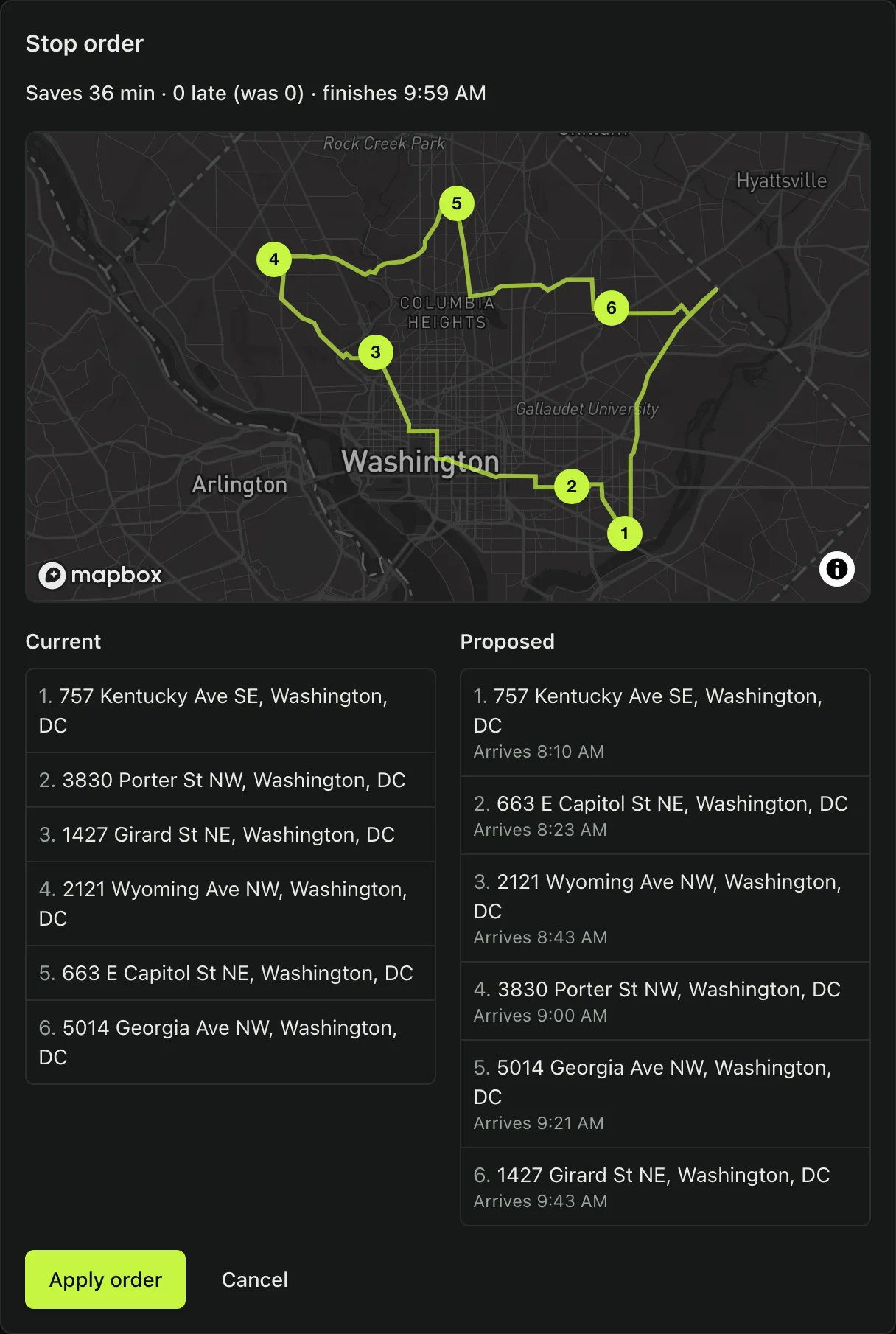
A suggested stop order on road times — example data. Map © Mapbox © OpenStreetMap -
02 · The drive
The route rides in the driver’s pocket.
Drivers see today’s stops in order, call or navigate with a tap, and keep working where the signal drops.
- Works offline: stop updates and photos wait on the phone and send in order
- GPS keeps running in the background while the route is active, with the driver’s permission
- Route changes arrive as alerts, and dispatch and the driver can message on the route
The driver app is in testing on iPhone and Android, and not yet in the app stores.
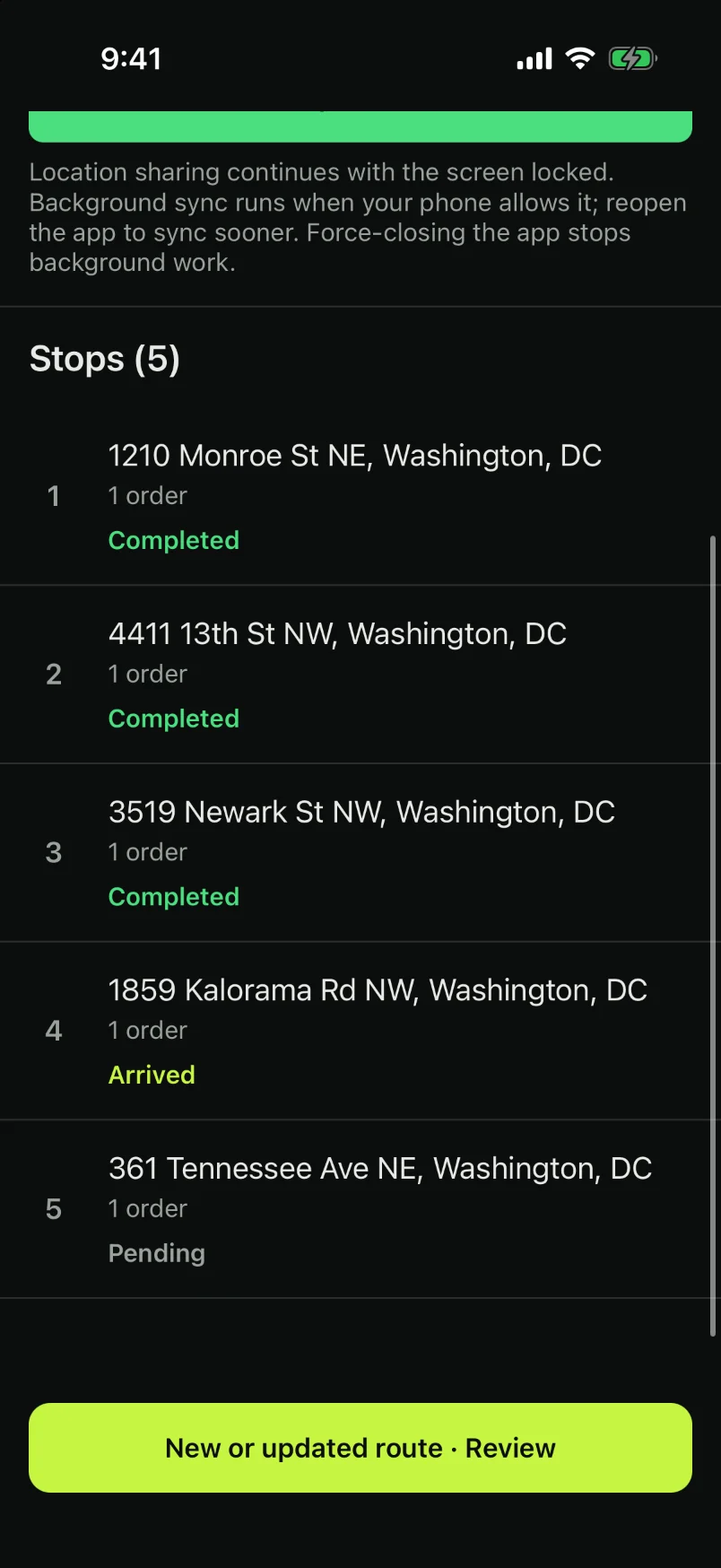
The driver’s route — example data -
03 · The doorstep
Proof at every door.
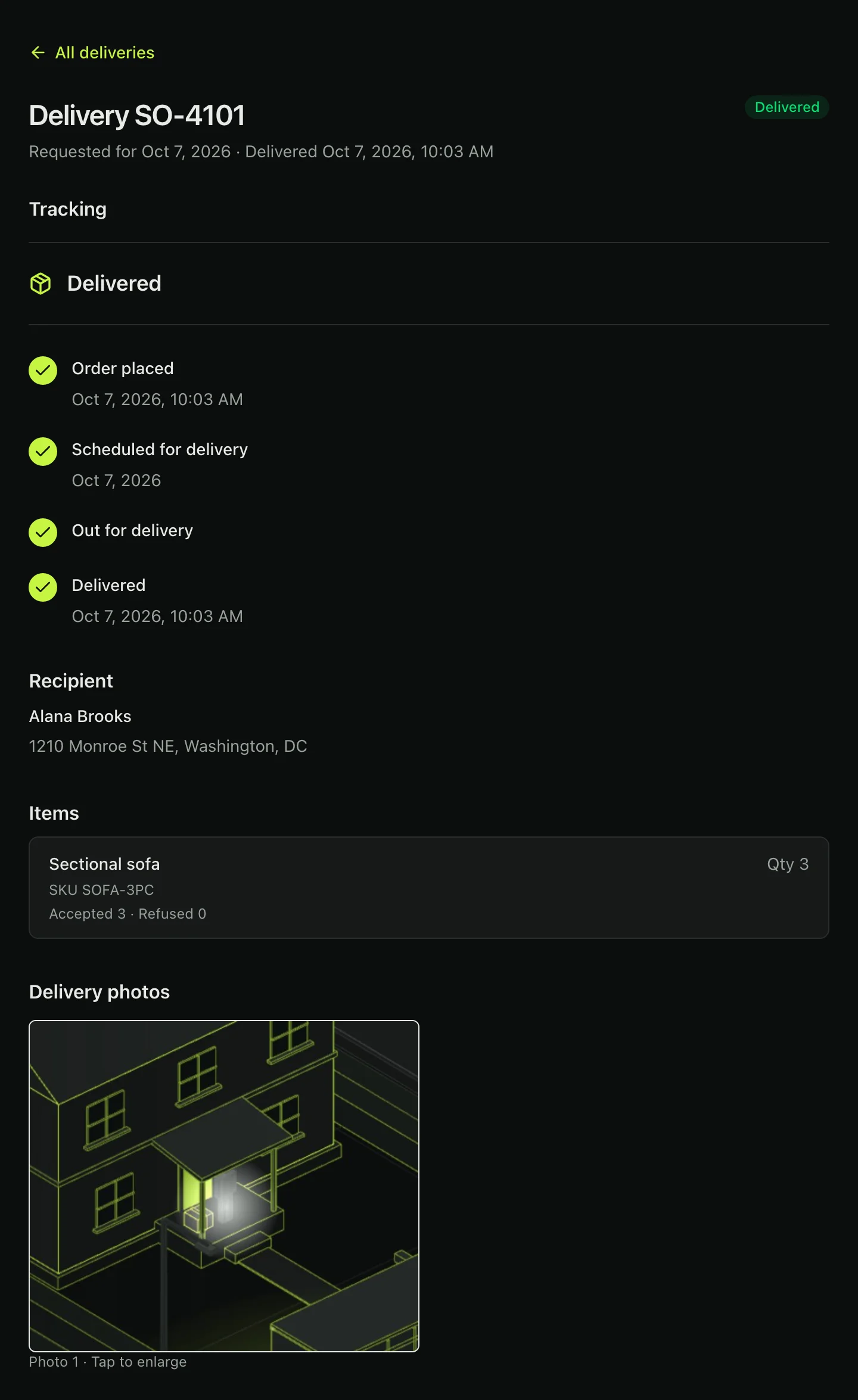
A stop isn’t done until it’s proven: the arrival is stamped from GPS, the photo is taken, and every item is accounted for.
- Require a delivery photo before a stop can be completed, set per company
- Arrival is stamped when the driver comes within 100 meters of the stop
- Record each item as accepted or refused with a reason; a refusal holds its charge for your review
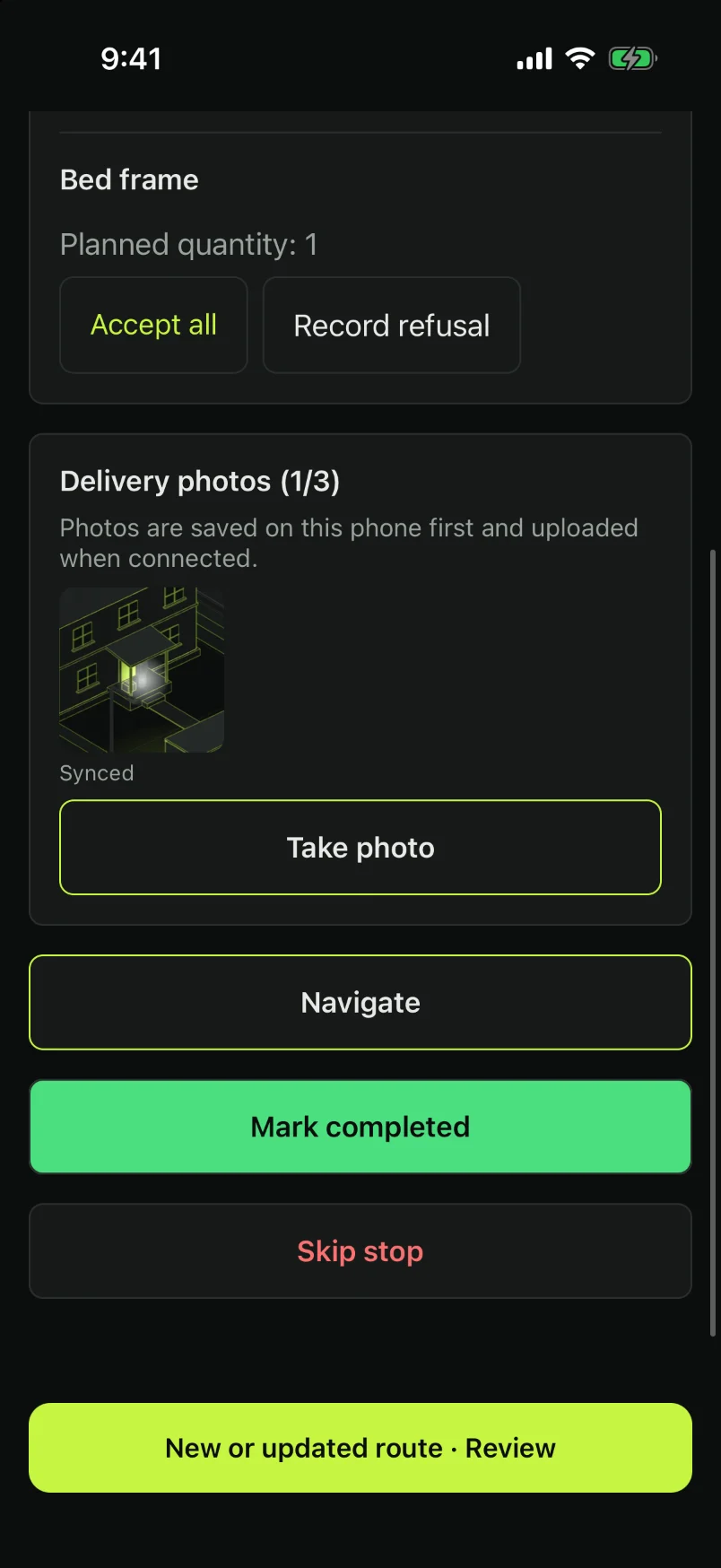
Items and the photo, at the door — example data -
04 · Your customer
Your customer knows before they ask.
Customers who agreed to texts hear from you on the day, when the driver is on the way, and once it’s done, with a private tracking page that needs no app or account.
- The tracking page shows the driver’s live position when they’re next, with a road ETA
- After delivery it shows the proof photo
Every text is sent by your team, or by the assistant at your request. Nothing goes out on its own.
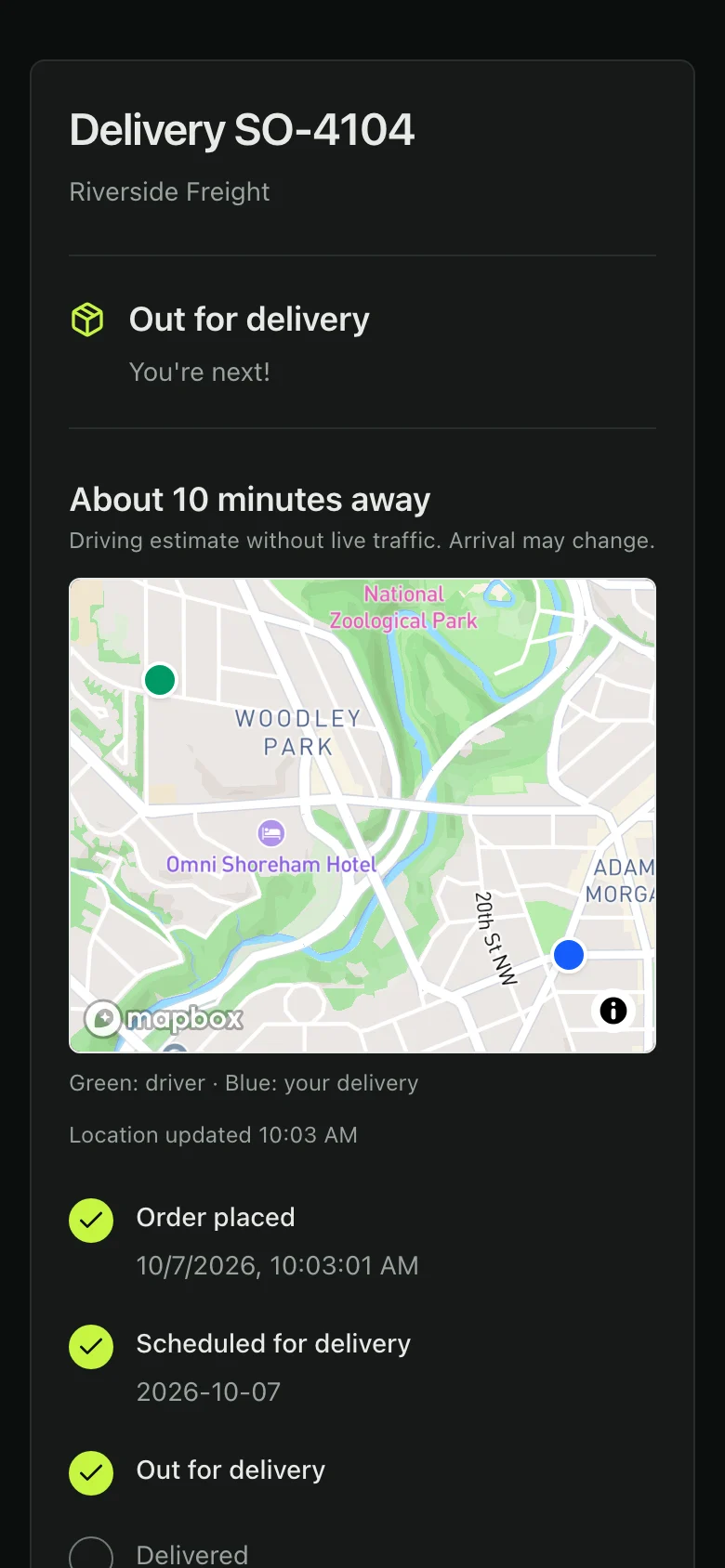
The customer’s tracking page — example data. Map © Mapbox © OpenStreetMap Delivery dayRiverside Freight: your delivery is scheduled for today, 10:00 AM-12:00 PM ET.
On my wayRiverside Freight: your driver is on the way. Estimated arrival in about 14 minutes.
Delivery completeRiverside Freight: your delivery is complete. View details: app.nxdlvry.com/track/…
-
05 · The day, closed
Close the day with nothing left to chase.
The board updates as drivers work, a route can close only once every stop is done, and the record shows who changed what.
- The dispatch board and route pages update live, with no reload
- Invoices from your rate cards, emailed as a PDF; refused items wait for your review first
- Opt in to a daily summary at 8 a.m., and escalate a skipped delivery to your team by email
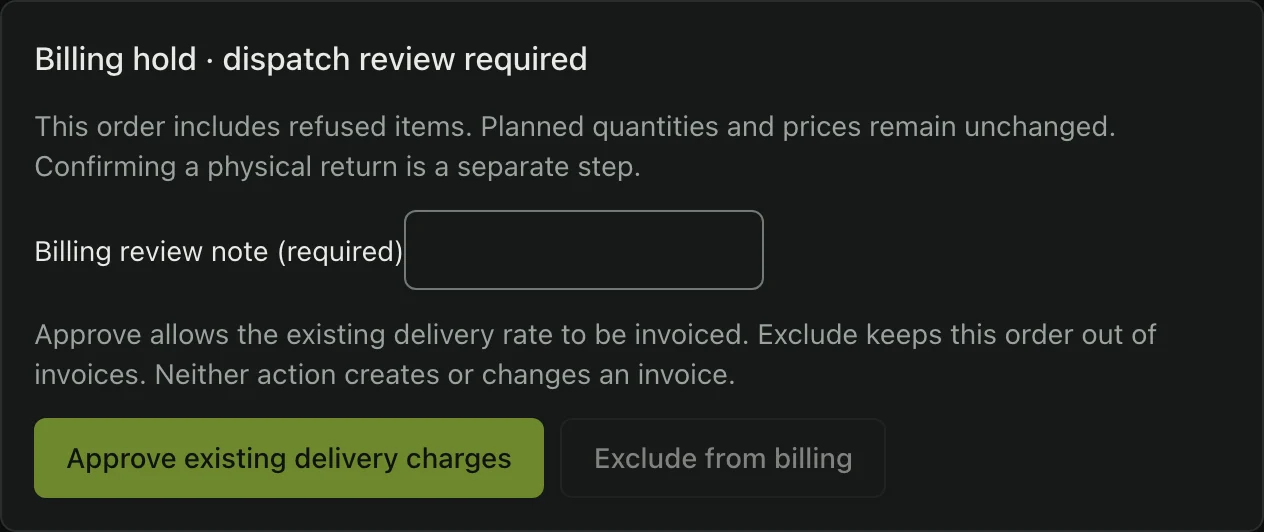
A refusal waits for billing review — example data 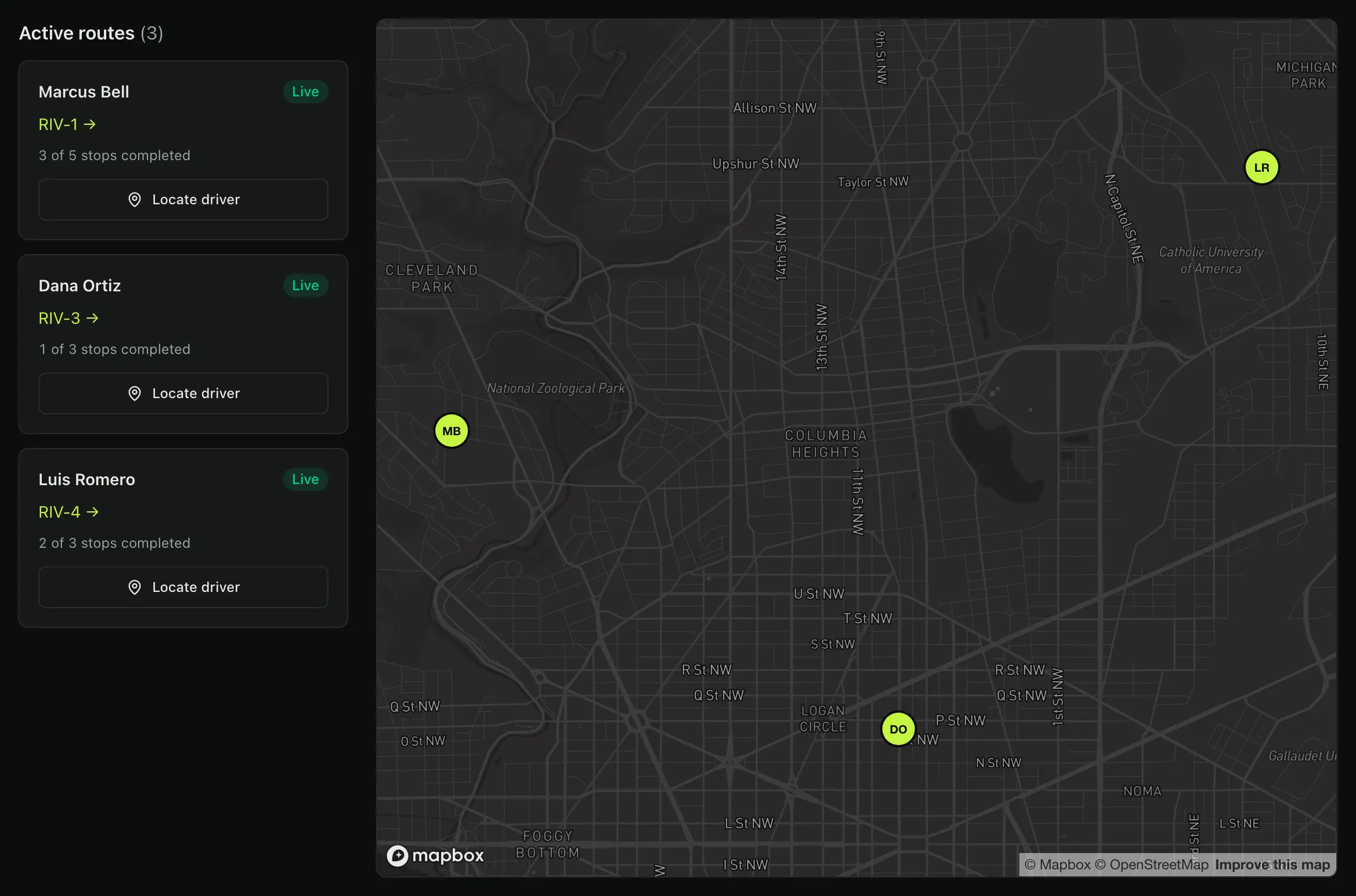
The dispatch board, live — example data. Map © Mapbox © OpenStreetMapSwipe to explore · use arrow keys when focused
Back at the dock, and the day is written down.
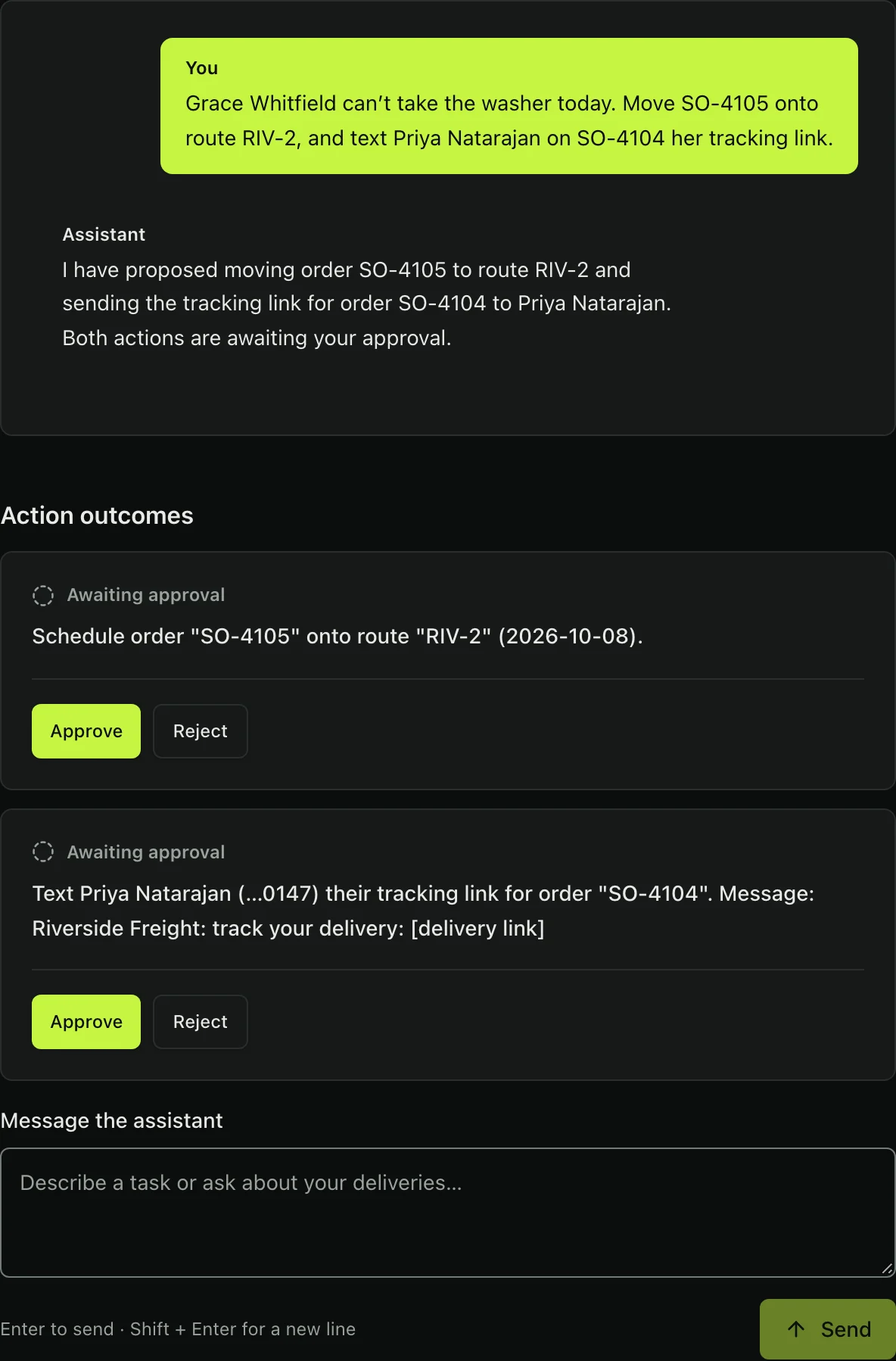
Say it. Approve it.
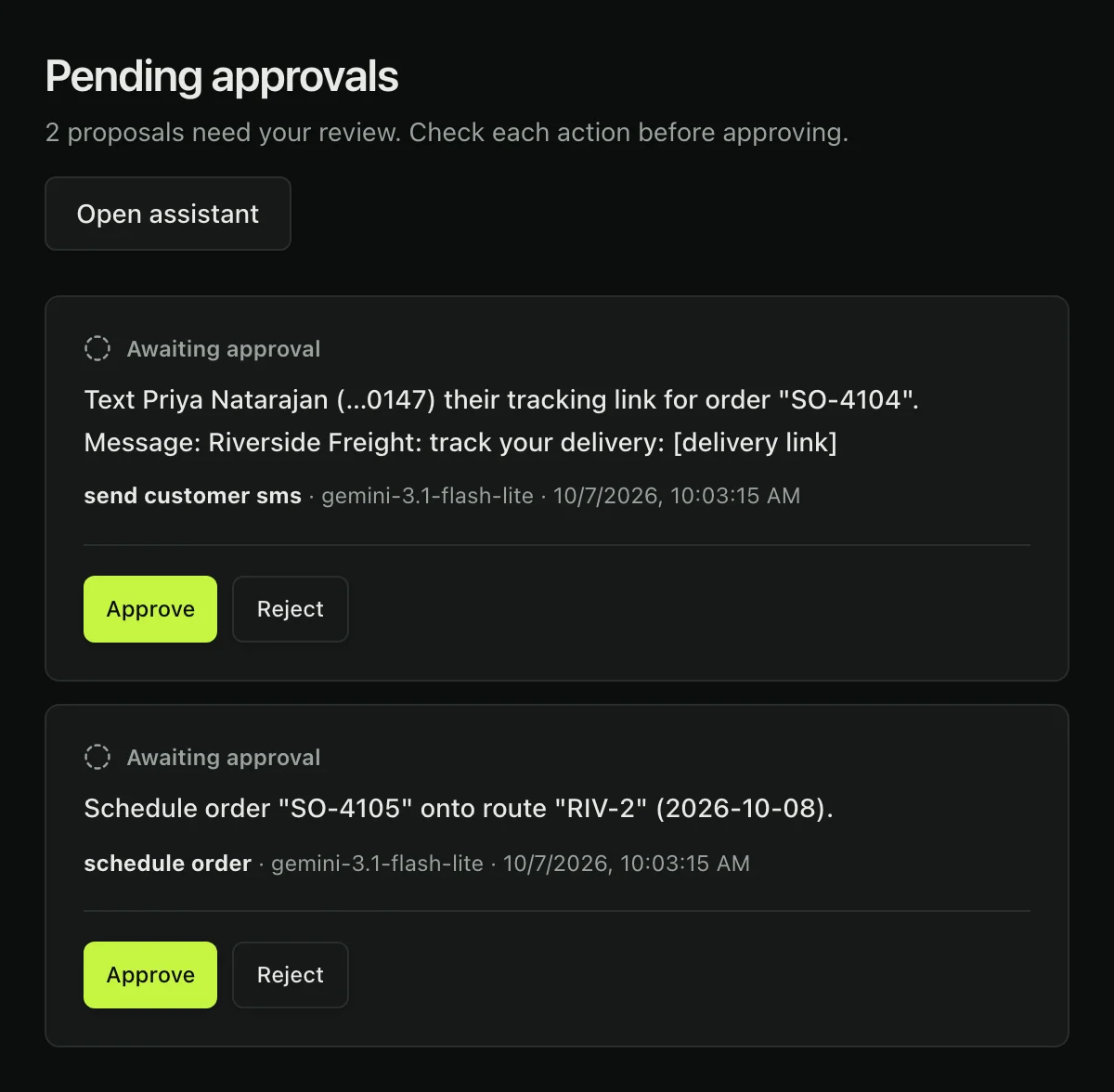
It’s written down.
The assistant has no private write path. It goes through the same doors your staff do, and by default it waits for you, so every action it takes becomes an ordinary, attributed line you can go and read.
“Ramirez can’t take the couch today — push it to tomorrow’s Riverside run.”
Nothing has been written. The order is still on today’s run until you say so.
Order #4471 now sits on RIV-2, and this is what your audit log holds.
Your clients see their own deliveries.
Invite the companies you deliver for to a portal of their own. Each login sees only that client’s orders, with tracking and delivery photos, and you can end access at any time.
- Tag orders with a client by hand, on import, or through the assistant
- Invitations go to a verified email and must be accepted
- Archive a client and its access ends at once
The rest of the job
- Vehicle maintenanceService schedules by date or miles, with mileage from completed routes’ GPS.
- Branded emailYour logo and color on invoices, receipts and invitations.
- ClaimsDamage, shortage and lost-item claims, tied to the order.
- Rate cardsPricing that turns delivered orders into invoice lines.
- DocumentsLicenses, insurance and other files on record, with expiry warnings.
- Text templatesEdit each customer text’s wording, with the delivery details kept intact.
- RolesOwners, dispatchers, viewers, drivers and client logins, each with only its own access.
- ActivityEvery change with its author, whether a person, a driver or the assistant.
What the software actually is
No customer counts or growth charts — NxDlvry is pre-launch and doesn’t have them. These are facts about how it is built.
Private write paths for the assistant. It calls the same services the interface does.
Tools it can call, from building a route to messaging a driver.
Radius that stamps a driver’s arrival at a stop.
Texts a customer typically gets per delivery order, if they opted in.
The most an ETA can be for an “arriving soon” text to be offered.
Change to an order, route, stop or invoice carries an actor and commits with its audit row in one transaction.
Delivery texts, with consent
Businesses using NxDlvry can offer their customers delivery status updates by SMS. When a customer agrees, they receive a tracking link and delivery status updates for their order — typically 1–3 messages per delivery order.
- Customers opt in verbally, in person or by phone, when placing a delivery order with a business that uses NxDlvry. Consent is never a condition of purchase.
- Message and data rates may apply.
- Reply STOP at any time to opt out, or HELP for help.
The complete opt-in workflow, including a screenshot of the consent screen, is documented at app.nxdlvry.com/sms-opt-in. See our Privacy Policy and SMS Terms. Mobile information is never shared with third parties or affiliates for marketing or promotional purposes.
Let’s talk about
your operation
NxDlvry is new, and it is built by one person who wants a handful of real delivery operations to shape it. That means no sales process, no seat minimum, and direct access to the person writing the software.
Furniture, appliance, building-material and medical-equipment delivery, and 3PLs running deliveries for clients.
A walkthrough of the real software against your actual delivery day, not a slide deck.
NxDlvry is pre-launch and pricing isn’t set. Rather than invent a number for this page, we’ll talk about it on the call.
This form needs JavaScript. Email contact@nxdlvry.com instead and it reaches the same person.